Where are we now
Over the last few months, several important things have happened in AI and e-commerce:
- Google introduced UCP (Universal Commerce Protocol) – an open standard for agentic commerce that unifies how an AI agent talks to a merchant: catalogue, cart, shipping, payment, order.
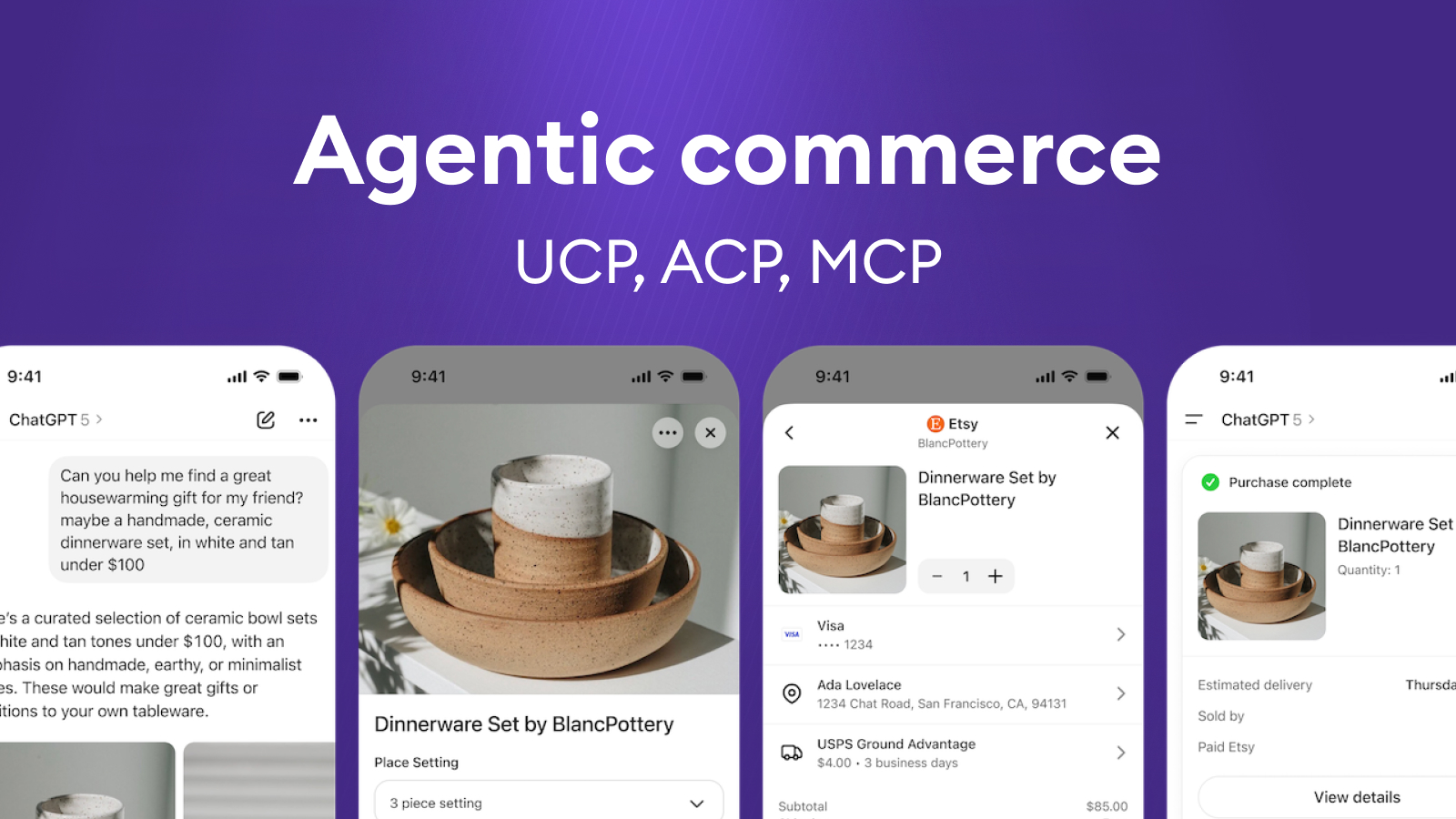
- OpenAI and Stripe launched ACP (Agentic Commerce Protocol) – a protocol for agentic checkout in the ChatGPT ecosystem.
- At the same time, MCP (Model Context Protocol) has emerged as a general way for agents to call tools and services, and OpenAI Apps SDK as a product/distribution layer for agent apps.
In other words, the internet is starting to define standardised “rails” for how AI agents will shop. And the market is shifting from “AI recommends” to “AI actually executes the transaction”.
In this article, we look at:
- what agentic commerce means in practice,
- how UCP, MCP, Apps SDK and ACP fit together,
- what these standards solve – and what they very intentionally don’t solve,
- and where custom agentic commerce makes sense – the exact type of work we do at BigHub.
What Is Agentic commerce
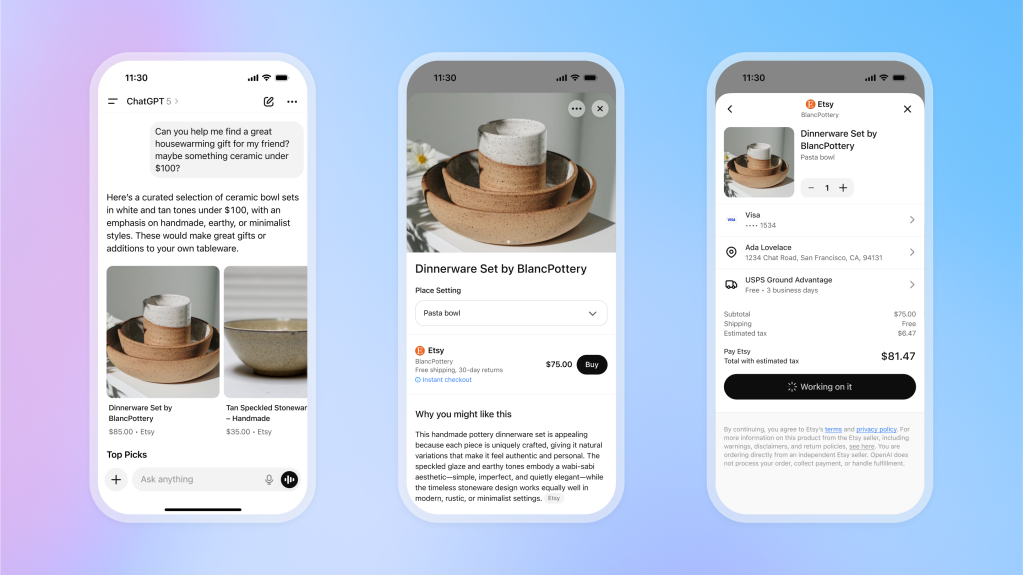
Agentic commerce is a shopping flow where an AI agent handles part or all of the process on behalf of a person or a business – from discovery and comparison to payment.
A typical scenario:
“Find me marathon running shoes under $150 that can be delivered within two weeks.”
The agent then:
- understands the request,
- queries multiple merchants,
- compares parameters, reviews, prices and delivery options,
- builds a shortlist,
- and, once the user approves, completes the purchase – ideally without the user ever touching a traditional web checkout.
This doesn’t only apply to B2C. Similar patterns show up in:
- internal procurement,
- B2B ordering,
- recurring replenishment,
- service and returns flows.
The direction is clear, AI is moving from “help me choose” to “get it done for me”.
MCP, Apps SDK, UCP and ACP
It’s useful to see today’s stack as layers.
MCP (Model Context Protocol) is:
- a general standard for how an agent calls tools, APIs and services,
- domain-agnostic (“I can talk to CRM, pricing, catalogue, ERP, …”),
- effectively the way the agent “sees” the world – through capabilities it can invoke.
In short: MCP = how the agent reaches into your systems.
OpenAI Apps SDK:
- provides UI, runtime and distribution for agents (ChatGPT Apps, user-facing interface),
- lets you quickly wrap an agent into a usable product:
- chat, forms, actions,
- distribution inside the ChatGPT ecosystem,
- basic management and execution.
In short: Apps SDK = how you turn an agent into a product people actually use.
UCP – Domain standard for commerce workflows
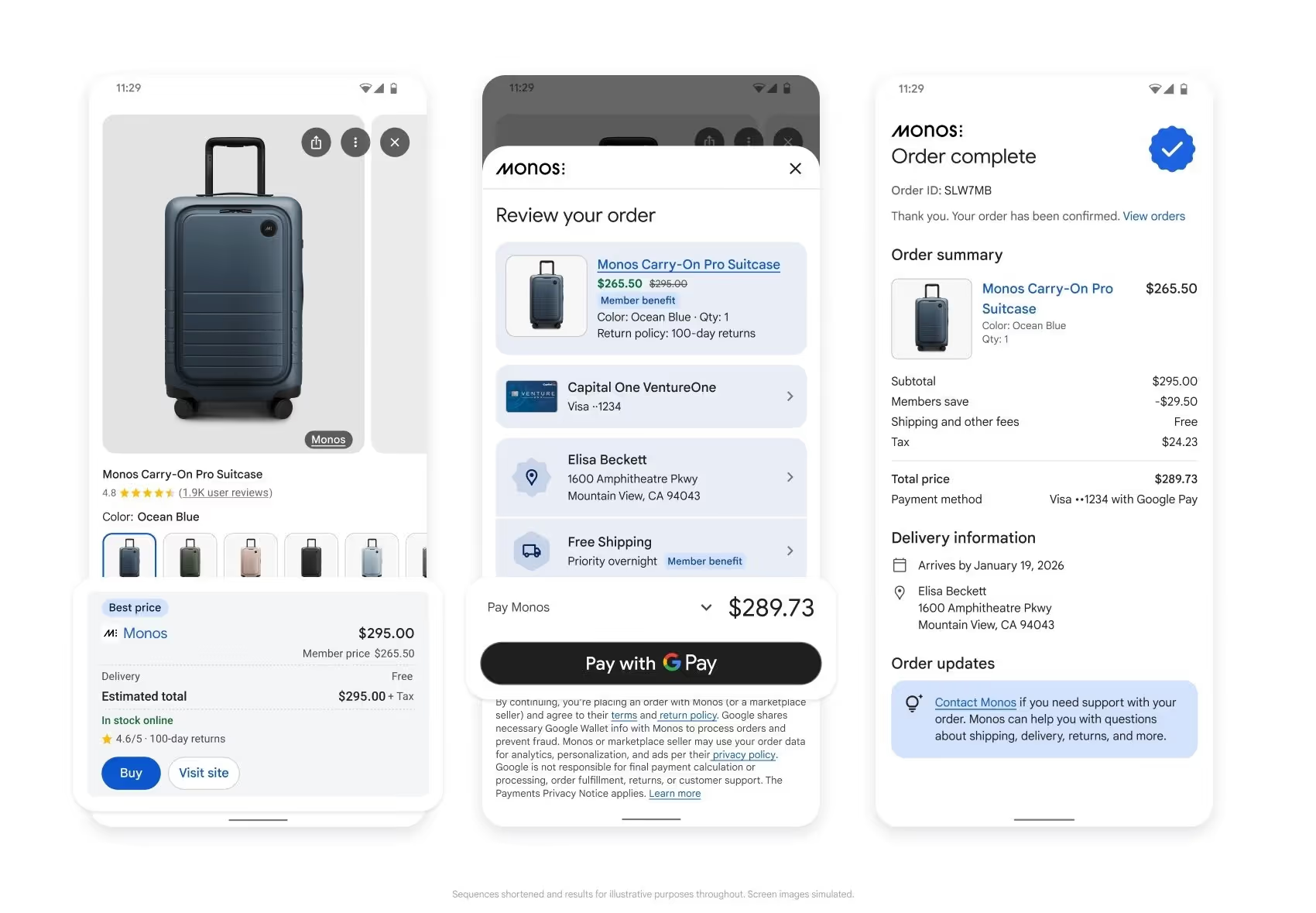
UCP (Universal Commerce Protocol) from Google and partners:
- is a domain-specific standard for commerce,
- unifies how an agent talks to a merchant about:
- catalogue, variants, prices,
- cart, shipping, payment, order,
- discounts, loyalty, refunds, tracking and support,
- is designed to work across Google Search, Gemini and other AI surfaces.
In short: UCP = the concrete language and workflow of buying.
ACP – Agentic checkout in the ChatGPT ecosystem
ACP (Agentic Commerce Protocol) from OpenAI/Stripe:
- targets a similar domain from the ChatGPT side,
- focuses strongly on checkout, payments and orders,
- powers features like Instant Checkout in ChatGPT.
From a merchant’s point of view, UCP and ACP are competing commerce standards (no one wants three different protocols in their stack).
From an architecture point of view, they can coexist as different dialects an agent uses depending on the channel (ChatGPT vs. Google / Gemini).
What these standards do – and what they don’t
The common pattern is important. UCP and ACP do not make agents “smart”. They just give them a consistent language.
These standards typically cover:
- how the agent formally communicates with the merchant and checkout,
- how offers and orders are structured,
- how payment and authorisation are handled securely,
- how a purchase can flow across different AI channels.
They do not (and cannot) solve:
- the quality and structure of your product catalogue, attributes and availability,
- integration into ERP, WMS/OMS, CRM, loyalty, pricing engine, campaign tooling,
- your business logic – margin vs. SLA vs. customer experience vs. revenue,
- governance, risk, approvals – who is allowed to order what, when a human must step in, how decisions are audited.
Practically, this means:
- you can be formally “UCP/ACP-ready”,
- and still deliver a poor agent experience if:
- data is inconsistent,
- delivery promises can’t be kept,
- pricing and promo logic breaks in a multi-channel world,
- the agent has no access to real-time states and internal rules.
The standard is a necessary technical minimum, not a finished solution.
How we approach Agentic Commerce at BigHub
At BigHub, we see UCP, MCP, ACP and Apps SDK as infrastructure building blocks. On real projects, we focus on what creates actual competitive advantage on top of them.
We build ML-powered commerce agents that can:
- optimise dynamic offers and pricing (bundles, alternatives, smart trade-offs based on margin, SLA and priorities),
- deliver personalised search and shortlists (customer context, preferences, budget, interaction history),
- handle argumentation and objections (why this option, what are the alternatives, explain the trade-offs),
- and only then smoothly push the checkout over the finish line.
On top of that, we add an integration layer via MCP (capabilities + connections to core systems). For UI and distribution, we often use OpenAI Apps SDK when we need to get an agent in front of real users quickly. Where it makes sense, we plug into standards like UCP/ACP instead of writing bespoke integrations for every single channel.
Where custom Agentic Commerce makes the difference
Standards (UCP/ACP/MCP) are extremely valuable where:
- you don’t want to invent your own protocol for connecting to AI channels,
- you need interoperability (ChatGPT, Google/Gemini, others),
- you want to reduce integration overhead for merchants.
A custom approach adds the most value in these areas:
1) Connecting the agent to core systems
- ERP, WMS/OMS, CRM, loyalty, pricing, returns, contact centre…
- the agent must live in your real operational architecture, not a demo sandbox.
Typically you need a dedicated integration and orchestration layer that:
- speaks UCP/ACP/MCP “upwards”,
- speaks your specific systems and APIs “downwards”.
2) Domain logic and business Rules
This is where competitive advantage is created:
- when the agent can execute autonomously vs. when it should only recommend,
- how it balances margin, SLA, availability, customer experience and revenue,
- how it works with promotions, loyalty, cross-sell / up-sell scenarios.
This is not a protocol question. It’s about concrete rules on top of your data and KPIs.
3) Multi-channel and the mix of B2C / B2B / Internal agents
Real-world commerce looks like this:
- B2C webshop,
- B2B ordering portal,
- internal purchasing agent,
- in-store sales assistant,
- customer service agent.
A custom framework lets you:
- share logic across roles and channels,
- respect permissions and limits,
- support flows like “AI starts in chat, finishes in the store”.
4) European context: Regulation, security, Data residency
For European companies, several constraints matter:
- regulation (EU AI Act, GDPR, sector-specific rules),
- internal security posture, audits, risk controls,
- where data and models actually run (US vs. EU),
- how explainable and auditable agent decisions are.
Standards are global, but architecture and governance have to be local and tailored.
What retailers and enterprises should take away from UCP (and other similar protocols)
If you’re thinking about agentic commerce, it’s worth asking a few practical questions:
- Are we “agent-ready” not only at the protocol level, but also in terms of data and processes?
- In which use cases do we actually want the agent to execute the transaction – and where should it stay at the recommendation level?
- How will agentic commerce fit into our existing systems, pricing, campaigns and SLAs?
- Who owns agent initiatives internally (KPI, P&L) and how will we measure success?
- Which parts make sense to solve via standards (UCP/ACP/MCP) and where do we already need a custom agent framework?
Conclusion
In the end, UCP, ACP and MCP are not the solution – they’re the rails. They standardise how agents plug into commerce, but real advantage still comes from how you connect them to your data, systems and business logic. The real question for retailers and enterprises is no longer if agentic commerce is coming, but what kind of agents you put on those rails – and which parts of your P&L they are meant to change. That second part is where we focus – from use-case design and data/AI architecture to deploying agents that don’t just look good in a demo, but move real numbers in your business.